Vous êtes nombreux à souhaiter une version plus simple et plus puissante de la gestion de projets dans Notion. C’est ce que nous avons fait. Nous avons ajouté quelques fonctionnalités qui faisaient cruellement défaut, corrigé quelques modèles, automatisé quelques étapes, et rajouté l’IA dans le mix. Voici les nouveautés :
Le remplissage automatique par l’IA, en première mondiale
Générez automatiquement un résumé, les points à traiter, les dernières modifications du projet, et plus encore.
Notion est maintenant disponible en espagnol et en portugais (bêta)
Nous sommes ravis de faire ce grand pas en avant, qui va permettre à des millions de personnes d’utiliser Notion dans leur propre langue, de façon native et intuitive. Depuis aujourd’hui, Notion est disponible en espagnol et en portugais sur le Web, l’application, le site d’aide et les modèles intégrés.
Pour mettre Notion en espagnol ou en portugais :
Sur le Web ou l’application de bureau : allez dans Paramètres et membres → Langue.
Sur mobile : lorsque vous changez la langue de votre appareil en espagnol ou en portugais dans les paramètres du système, votre application Notion passera automatiquement à l’espagnol ou au portugais.
Pour trouver des guides et des tutoriels traduits, rendez-vous sur :
Version 2.0 de l’intégration Slack : messages et notifications
Avec notre nouvelle intégration Slack, vous pouvez :
Recevoir des notifications dans Slack lorsque le statut d’une tâche dans Notion change (par exemple, lorsqu’elle est marquée comme « Terminée »), ou lorsque vous êtes @mentionné. Pour configurer l’envoi de ces notifications, cliquez sur le menu ••• de la base de données, puis sur Notifications Slack.
Créer du contenu dans Notion en envoyant des messages Slack (par exemple : signaler un bug).
Partager un lien Notion dans Slack, qui peut se déplier pour afficher plus de détails.
voir les aperçus complets des messages Slack dans Notion.
Bonus : vous pouvez également Ajouter des contacts de Slack depuis le menu Partager de n’importe quelle page !
Gardez votre contenu à jour en convertissant votre wiki en un système facile à gérer où les pages peuvent être marquées comme « vérifiées ». Voici comment faire :
Ouvrez la page d’accueil de votre wiki, et cliquez en haut à droite sur ••• → Transformer en wiki.
Dans la vue Toutes les pages de la base de données, cliquez sur la colonne Vérification de n’importe quelle ligne.
Ajoutez une couche de sécurité supplémentaire à votre compte en exigeant une deuxième méthode d’identification. Allez dans les paramètres de votre compte, cliquez sur Mon compte. Dans la section Sécurité du compte, activez « Vérification en 2 étapes ».
Grâce à ces gains de vitesse significatifs sur mobile, vous trouverez vos documents bien plus facilement pendant vos déplacements. Nous en avons profité pour améliorer deux autres points : la vitesse de défilement et le contexte de vos recherches.
Vous pouvez désormais @mentionner un groupe, tout comme vous pouvez @mentionner des personnes individuelles. Survolez une mention de groupe pour voir qui en fait partie.
Accès gratuit étendu pour les start-up — avec l’IA en illimité !
Les start-up qui créent leur espace Notion pour la première fois, ou qui utilisent actuellement l’accès gratuit, peuvent désormais bénéficier du forfait Notion Plus avec l’IA en illimité pendant une durée maximum de 6 mois. Cela correspond à 6 000 $, soit 6 fois plus que notre offre précédente.
Nous vous avons également concocté un kit de modèles spécial start-up, avec de pages Notion créées et utilisées par des (vraies) start-up, et classées par étape de maturité de la boîte.
Vous pouvez désormais voir toutes les lignes qui correspondent à vos filtres dans une base de données, même si la ligne est un sous-élément ou une sous-tâche.
Vous pouvez maintenant afficher un calendrier sous forme hebdomadaire, et plus seulement mensuelle.
Vous pouvez maintenant ouvrir tous les liens vers des pages Notion (sous-pages, mentions de page) en aperçu latéral.
Nouveau filtre pour afficher uniquement les notifications non lues dans le menu Dernières modifications de la barre latérale.
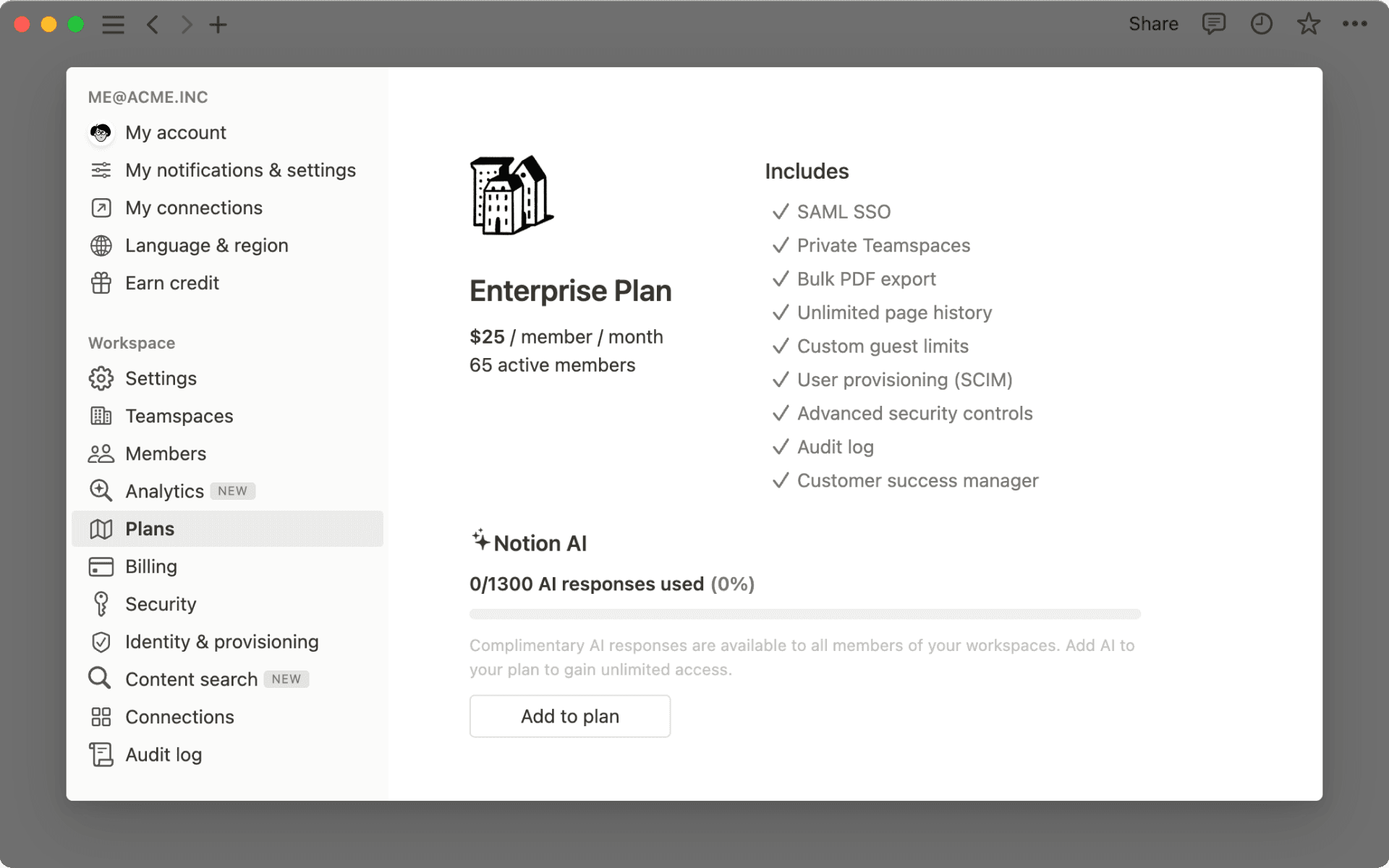
Les propriétaires d’un espace de travail au forfait Entreprise peuvent désormais devenir membres ou propriétaires d’un espace d’équipe.
On peut démarrer une voiture moderne en appuyant sur un bouton. Plus personne n’a de temps à perdre.
Vous pouvez désormais créer un bouton dans Notion qui ajoute automatiquement une tâche, un bug ou un document avec toutes les informations déjà remplies.
Tapez /bouton pour l’essayer. Quelques exemples d’utilisations :
Signaler un bug : pour permettre aux autres équipes de remonter des problèmes qualifiés sans les obliger à suivre une liste d’étapes rébarbatives.
Ajouter un document de spécification produit (PRD) : pour générer automatiquement la structure d’un PRD, ce qui vous permettra de vous concentrer sur la rédaction du contenu (le « quoi » et le « pourquoi »), avec les bonnes personnes mentionnées par défaut.
Faire une demande à l’équipe design : pour permettre à l’équipe marketing de faire des demandes de maquettes avec toutes les infos nécessaires, et l’envoyer directement dans la base de données projet de l’équipe design.
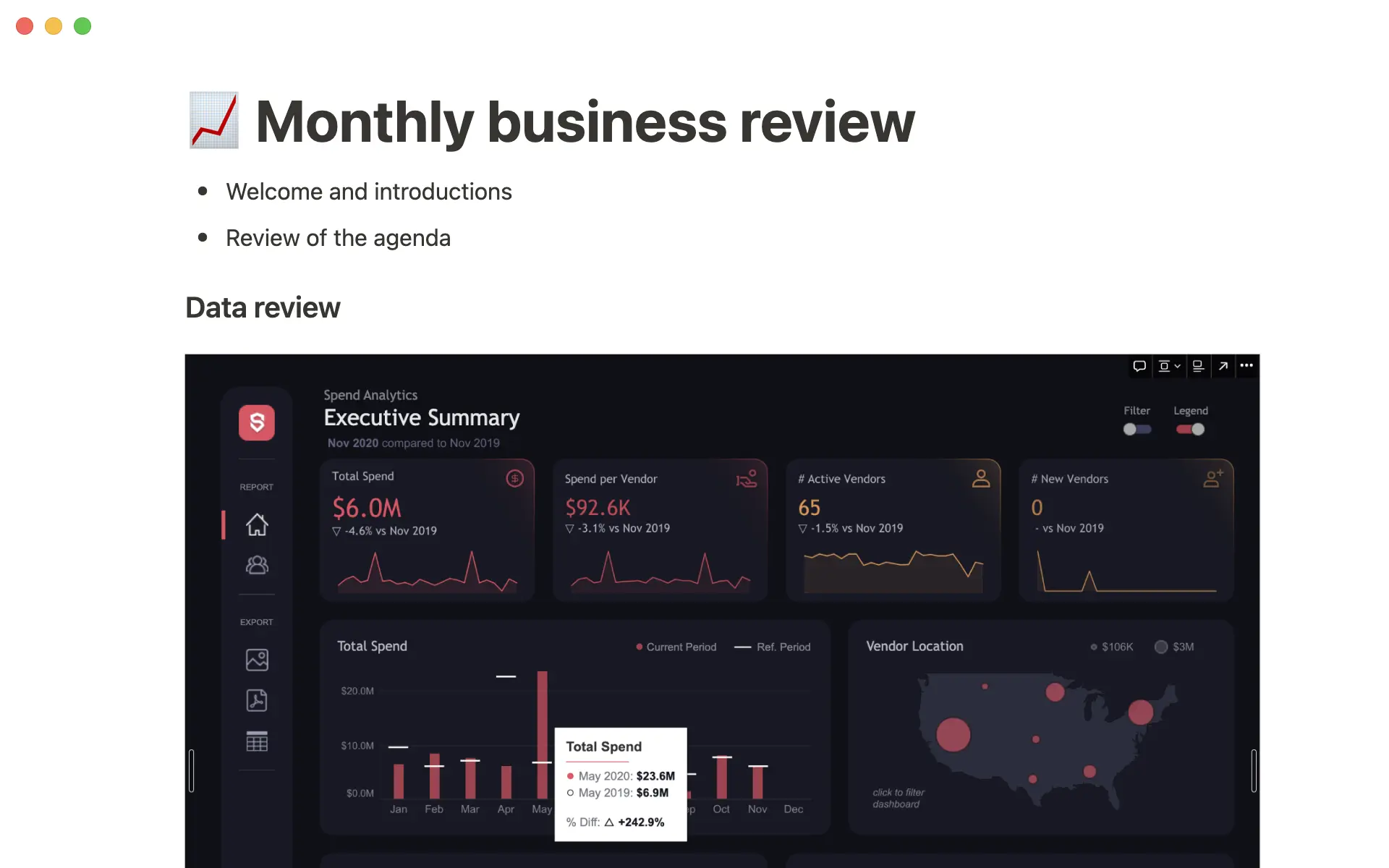
Intégrez du contenu provenant de plus de 2 000 applications, comme Mixpanel et Twitch
Assurez-vous d'avoir des données toujours à jour, sans avoir à faire de nouvelles captures d'écran. Collez un lien dans une page Notion et sélectionnez Intégrer dans cette page pour afficher en direct des informations d'autres outils.
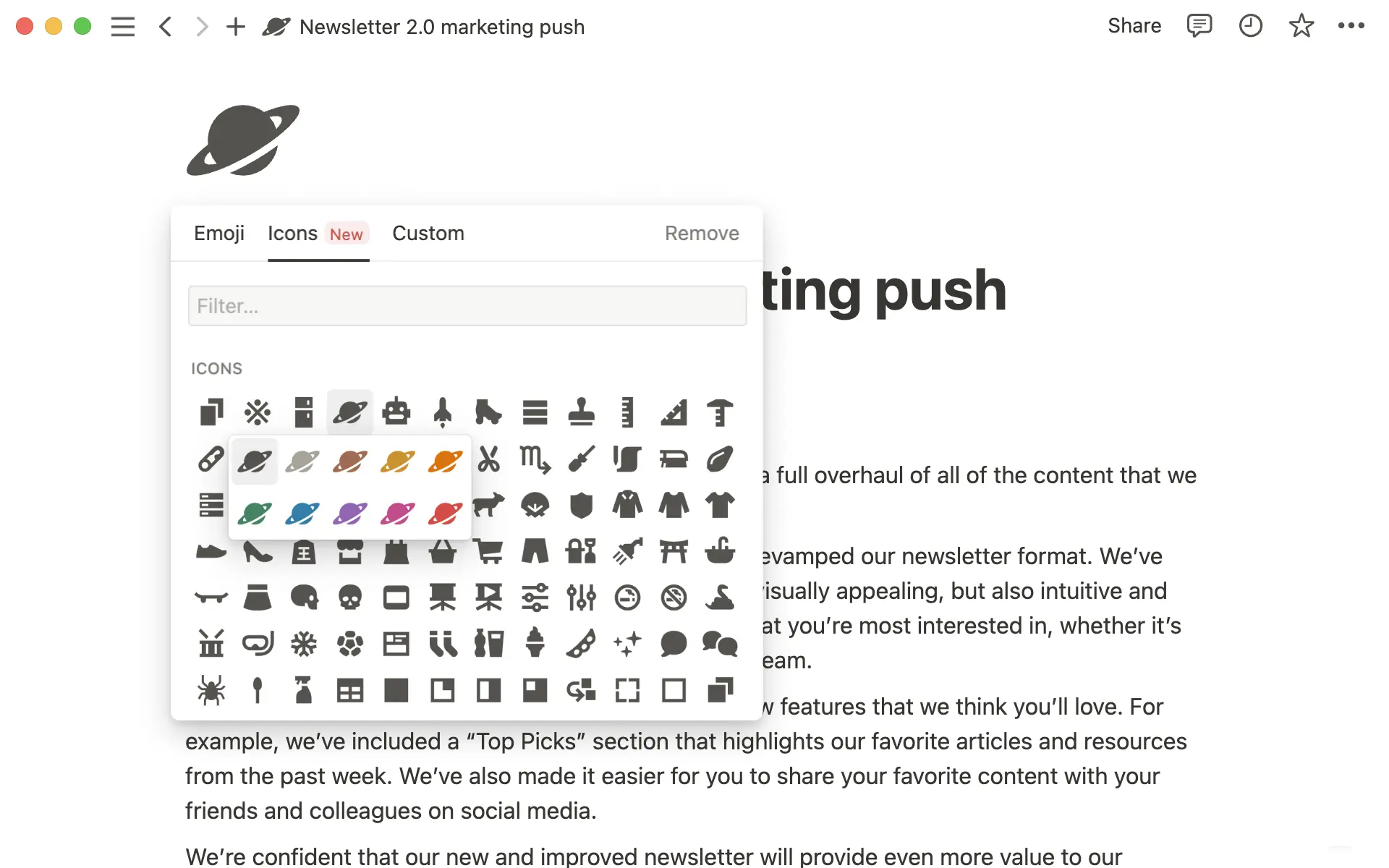
Partager son travail avec les membres de son équipe devrait toujours être un plaisir. Nous avons donc ajouté plus de 200 nouvelles icônes (dont certaines spécialement pensées pour la gestion de projet), et amélioré l’expérience de recherche.
P.-S. - Vous pouvez également modifier plusieurs icônes d’un seul coup dans une base de données !
Exit les listes d’attente, les bêta, les alpha, les MVP et autres griffons dorés. Vous pouvez dès maintenant tester les possibilités de l’intelligence artificielle sur vos notes et documents.
Utilisez l’IA de Notion pour enrichir vos compétences, parfois de manière insoupçonnée. Ouvrez simplement n'importe quelle page de Notion, et essayez :
Générez un résumé instantané à partir d'une page de notes désordonnées. Ajoutez une nouvelle ligne, appuyez sur la touche espace de votre clavier, puis sélectionnez « Résumer ».
Communiquez plus efficacement. Sélectionnez un paragraphe que vous venez d’écrire, cliquez sur « Demander à l’IA » dans la barre d’outils qui apparaît au dessus, puis sélectionnez « Améliorer le style ».
Injectez une nouvelle créativité dans vos projets Créez une nouvelle page, cliquez sur « Commencer à écrire avec l'IA » et demandez-lui de dresser la liste des avantages & d'une décision que vous envisagez de prendre.
Près de deux millions de personnes se sont inscrites sur la liste d'attente alpha il y a dix semaines. Désormais, l’IA de Notion est entièrement repensée sur la base des commentaires que nous avons reçus, et de nouveaux tests. Ouvrez n’importe quelle page dans Notion et cliquez sur espace pour le découvrir par vous-même.
Activez l’IA de Notion en illimité sur n’importe quel forfait
Depuis le lancement sur invitation de la version ALPHA, des centaines de millions de mots ont été générés chaque jour avec l’IA de Notion. Désormais, elle est accessible à tous. Que votre espace de travail soit rempli de notes ou entièrement vide, l’IA peut être ajoutée sur n’importe quel forfait Notion.
Essayez l’IA de Notion gratuitement. Vous aurez accès à 20 réponses gratuites générées par l’IA, par membre de votre espace de travail. Cette offre promotionnelle prend fin le 5 avril 2023.
Ajoutez l’IA de Notion à votre espace de travail pour 10 $ par membre et par mois. Les clients avec une facturation annuelle bénéficient d'une réduction de 20 %.
Utilisez l’IA de Notion sans aucune limite. Il n'est pas nécessaire de gérer vos crédits ou de suivre votre utilisation.
Le plus excitant avec le lancement d’aujourd’hui, c’est que nous ne sommes qu’aux prémices de l’IA de Notion. Nous allons porter une attention particulière aux commentaires que vous nous envoyez sur ce sujet, pour peaufiner votre expérience.
Comment savez-vous si votre idée captive les foules ? Vous pouvez désormais garder un œil sur ce qui se passe dans votre page : nombre de vues, nombre de lecteurs, et détails de modification, directement dans la barre latérale. Pensez-y la prochaine fois que vous partagez une spécification produit, ou que vous publiez un billet de blog.
En haut à droite de votre page, cliquez sur 🕘 Afficher les dernières modifications → Analyses.
Découvrez comment votre contenu est utilisé, et identifiez les zones à améliorer grâce à des données comme le nombre de vues, le nombre de visiteurs uniques, et la date de dernière modification.
Les propriétaires d’espace de travail peuvent suivre la manière dont les utilisateurs interagissent (et identifier notamment les membres qui ont le plus besoin d’aide, ou ceux qui produisent le plus de contenu), et accéder aux statistiques de recherche.
En haut à gauche de votre espace de travail, cliquez sur ⚙ Paramètres et membres → Analyses.
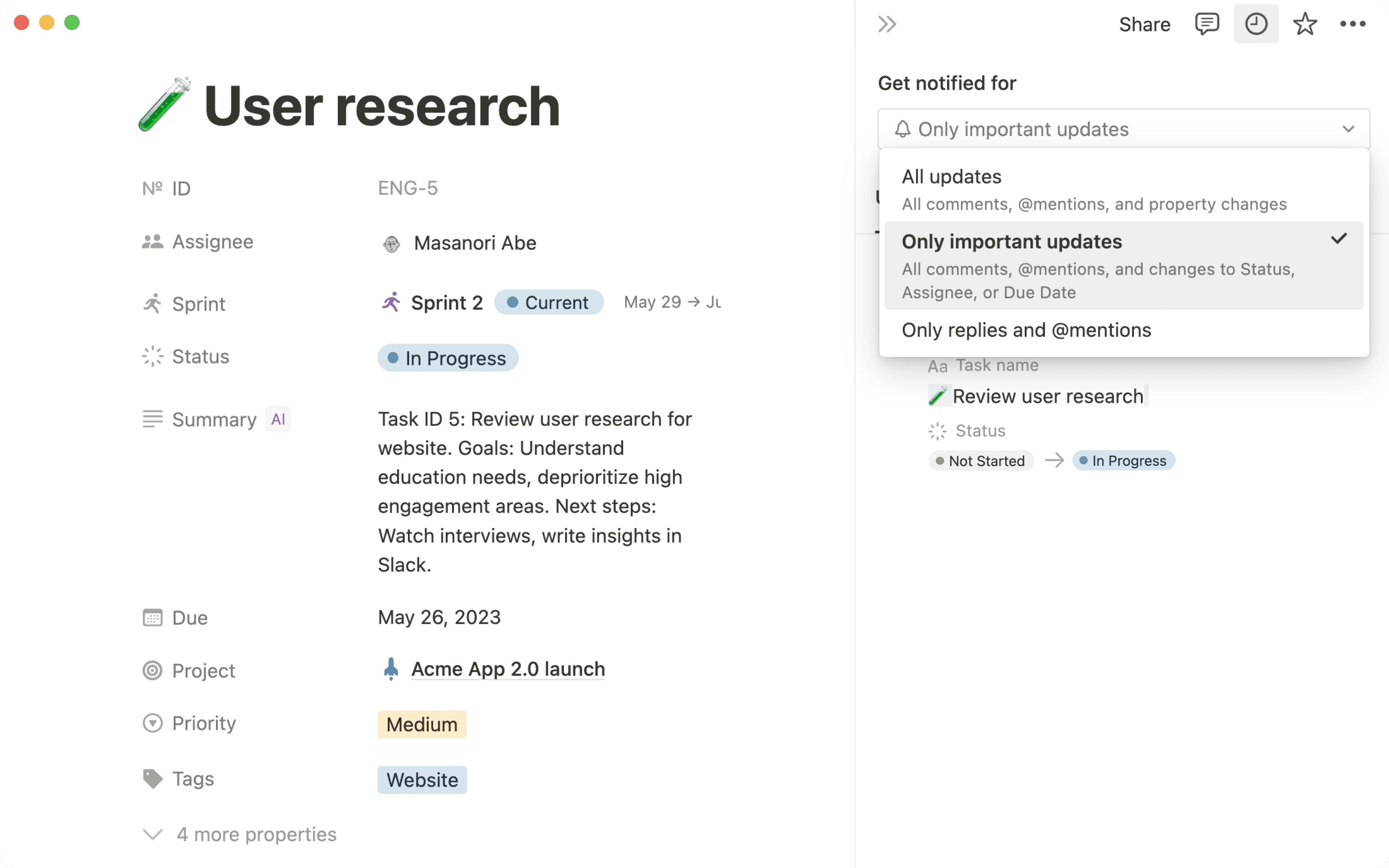
Les notifications sont un peu comme un mini-assistant, qui vous tient au courant des choses importantes tout en vous protégeant du bruit. Désormais, vous ne recevrez des notifications que lorsque vous serez @mentionné ou que quelqu’un répondra à votre publication. Faites le ménage dans vos notifications en les marquant comme lues ou archivées.
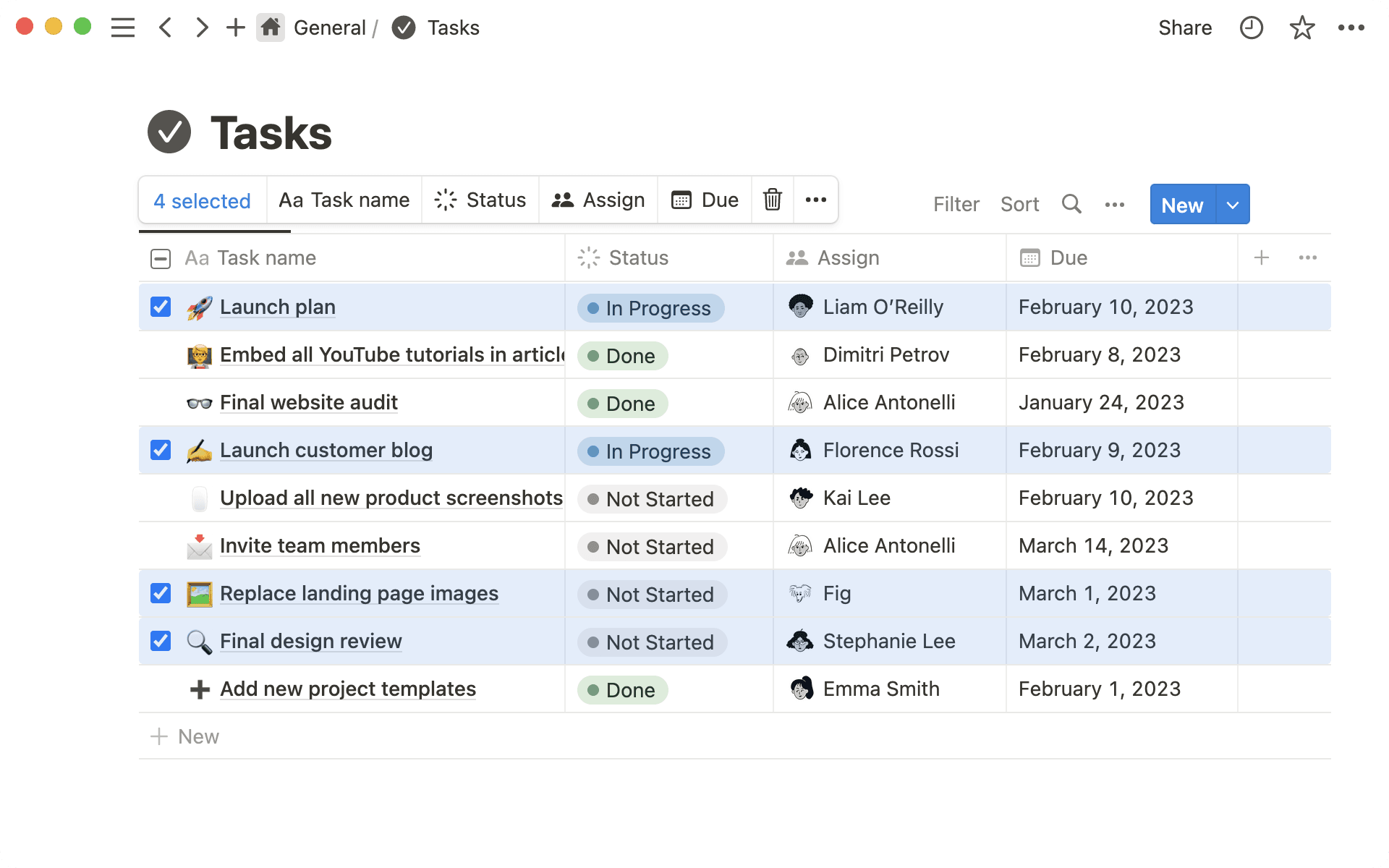
Modifiez plusieurs pages d’une base de données d’un seul coup
Sélectionnez et modifiez les valeurs de plusieurs lignes dans la vue « table » d’une base de données (par exemple, sélectionnez des tâches pour mettre à jour leur état d’avancement ou leur priorité).
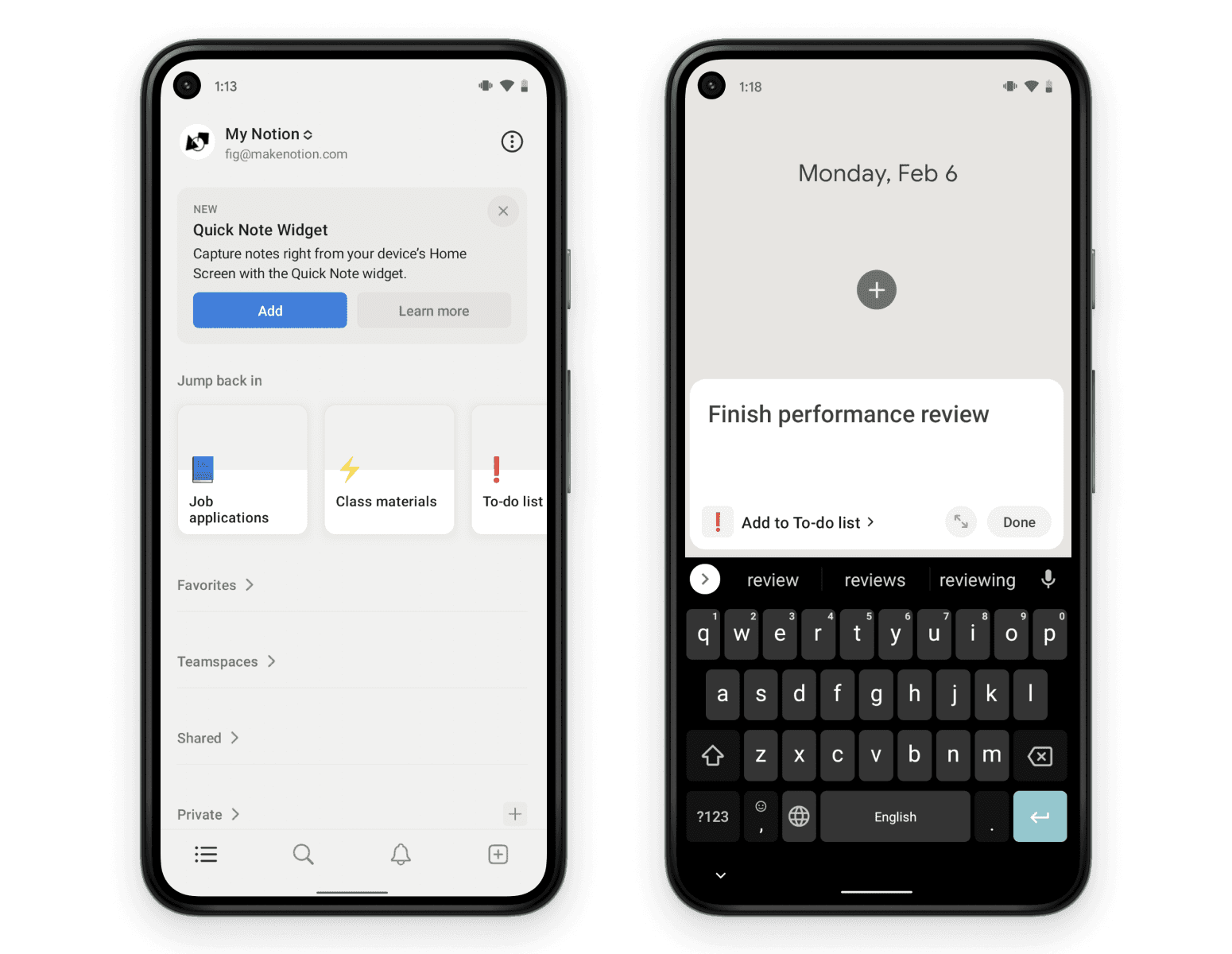
Sur Android, vous pouvez désormais utiliser le widget Prise de notes pour créer rapidement une page dans Notion. Pensez-y la prochaine fois que vous avez une idée de design fulgurante en plein match de basket. Bientôt sur iOS.
Les plateformes au forfait Entreprise possèdent désormais plus d’options pour voir, gérer et restreindre les espaces de travail qui ont été créés avec leur domaine vérifié.
Nous avons ajouté la possibilité de convertir une sous-page en espace d’équipe. Depuis la sous-page, allez dans le menu … → Convertir en espace d’équipe → Créer un espace d’équipe.
Nous avons ajouté l’option de duplication dans le menu ••• de toutes les pages
Nous avons fait quelques changements sur les applications mobiles : les résultats de recherche s’affichent désormais plus rapidement.
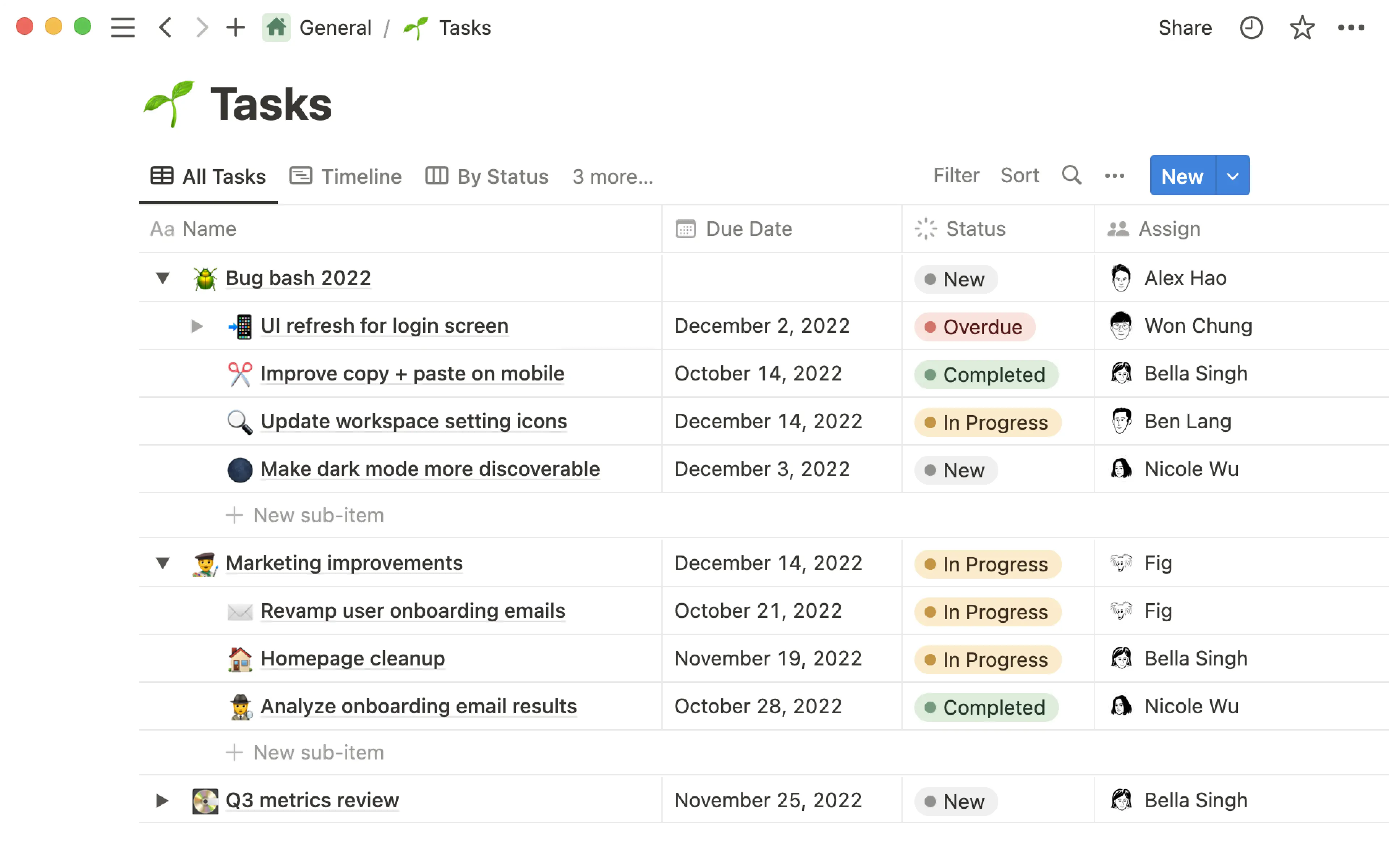
Découpez vos tâches ou éléments de vos bases de données en plus petites parties, pour être certain de couvrir tous les angles. Voici quelques cas d’usage typiques :
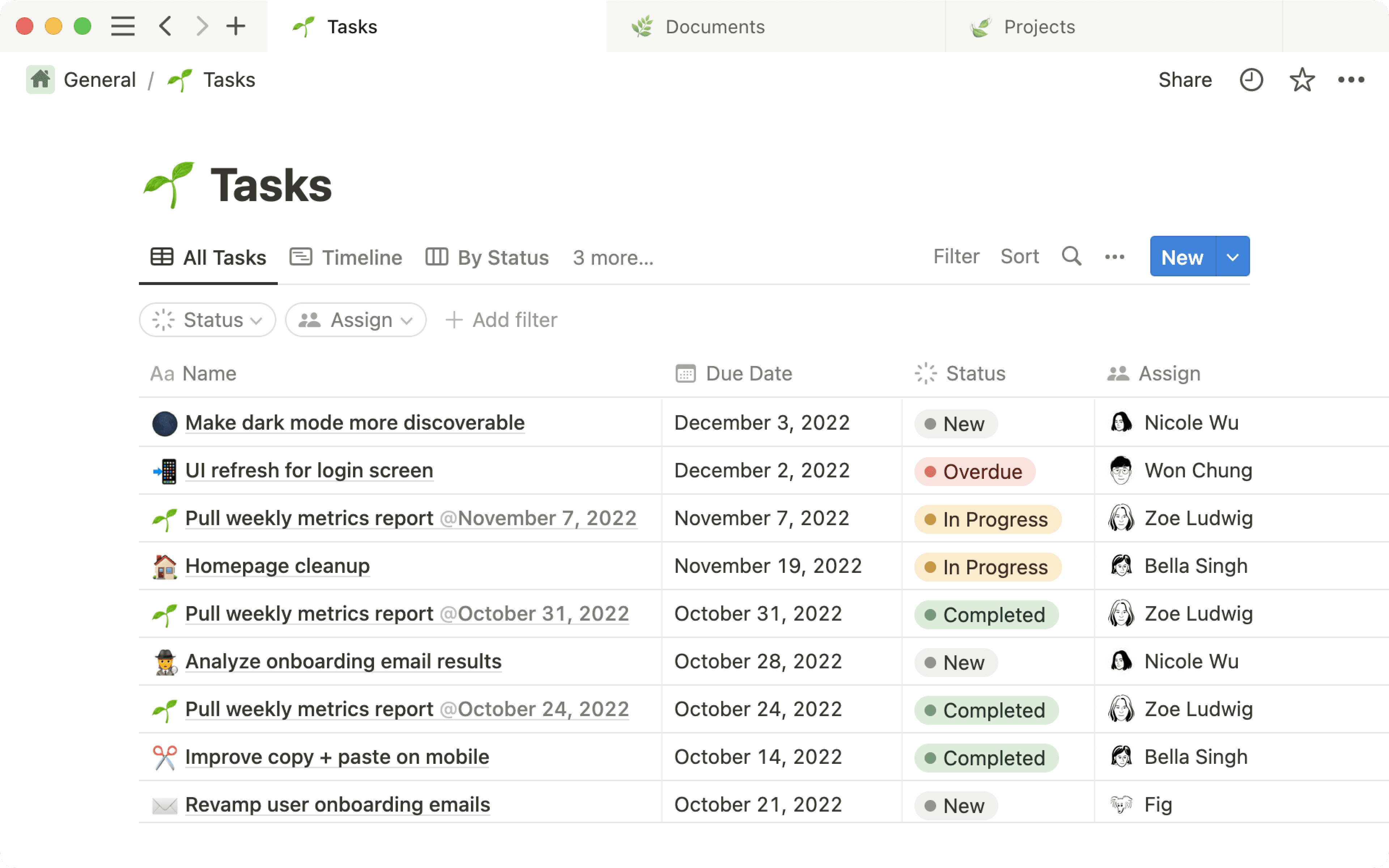
lister toutes les sous-tâches d’un projet, pour les assigner et suivre leur avancement séparément ;
documenter votre organigramme par équipe et sous-équipe ;
découper les objectifs globaux de l’entreprise en sous-objectifs, plus actionnables pour les équipes.
Pour les activer :
Cliquez sur le menu ••• en haut à droite de votre base de données Notion, en vue « table ».
Cliquez sur Sous-éléments et suivez les étapes de configuration.
Survolez une ligne de la base de données, et cliquez sur le triangle à gauche pour ajouter un nouveau sous-élément.
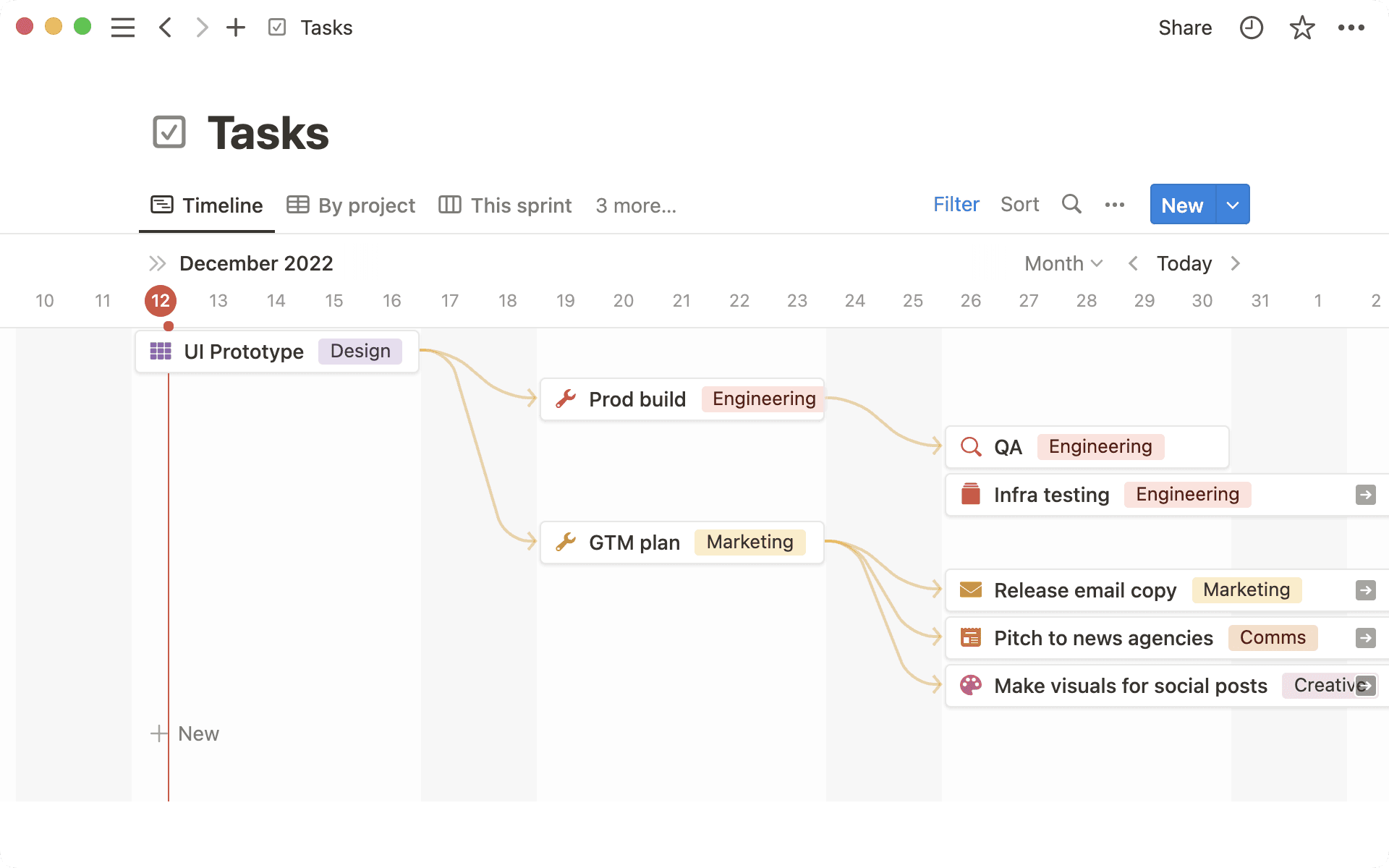
Repérez en un coup d’œil quelles tâches nécessitent la complétion d’autres tâches. Les dépendances peuvent être facilement identifiées avec les flèches directionnelles dans la vue « chronologie », de sorte que votre équipe peut voir les conflits et les blocages à un stade précoce, et rester sur la bonne voie.
Pour les activer :
Cliquez sur le menu ••• en haut à droite de votre base de données de tâches, en vue « chronologie ».
Cliquez sur Dépendances et suivez les étapes de configuration.
Survolez un élément de la base de données, cliquez sur la flèche jaune et faites-la glisser jusqu’à la connecter à l’élément bloquant.
Toujours ouvrir les liens Notion dans votre application de bureau
Deux raisons pour lesquelles utiliser l’application de bureau Notion plutôt que le navigateur Web : la vitesse (50 % plus rapide !) et une meilleure capacité de concentration.
Mais jusqu’à présent, cliquer sur un lien vers une page Notion (par exemple, dans un e‑mail ou un message Slack) ouvrait le navigateur, même si vous aviez installé l’application de bureau. C’est désormais changé !
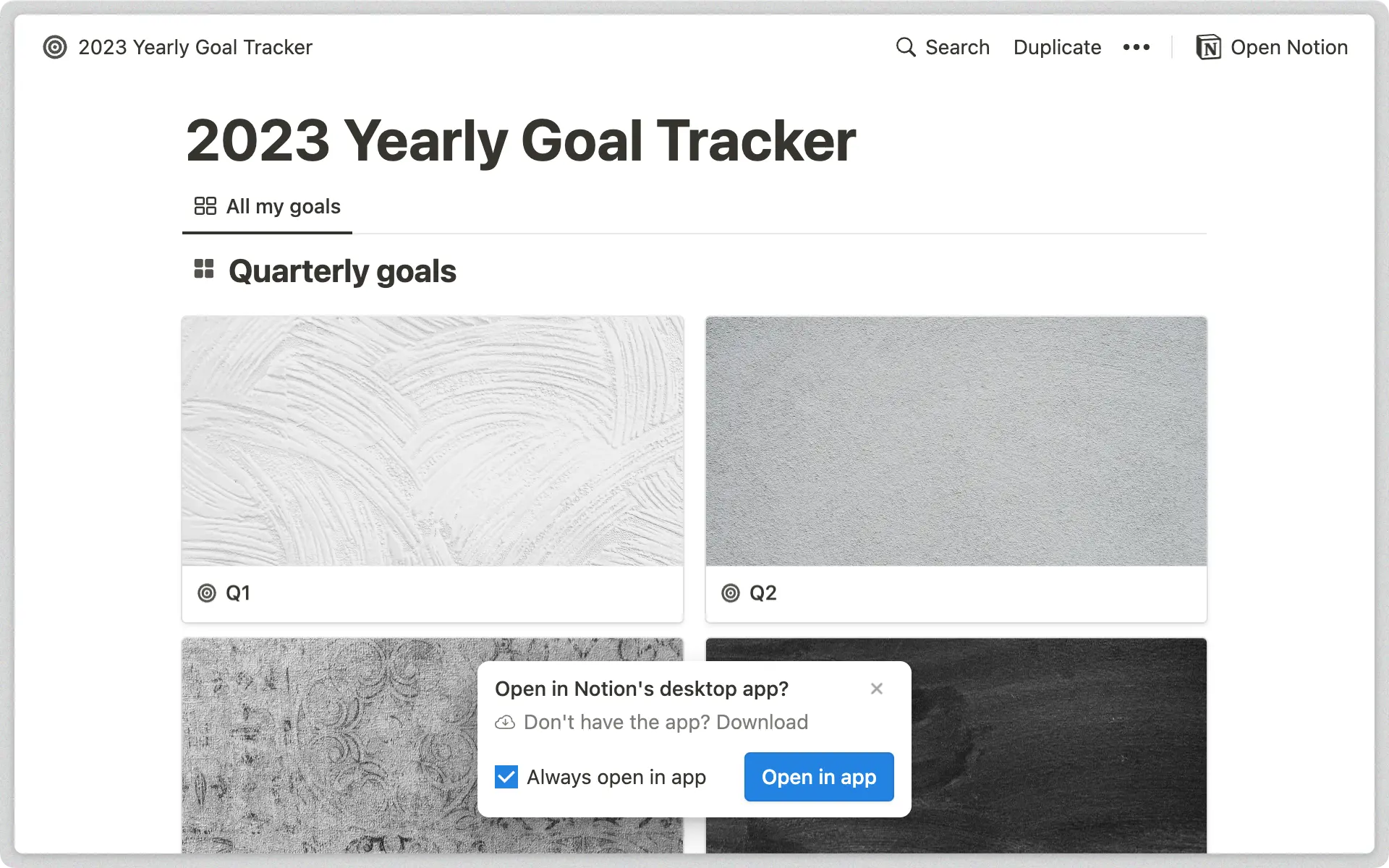
Lorsque vous ouvrez un lien vers une page Notion dans votre navigateur Web, vous devriez désormais avoir une fenêtre contextuelle qui vous permet d’ouvrir le lien dans l’application de bureau à la place.
Pour modifier vos préférences, allez dans Paramètres et membres → Notifications et paramètres → Ouvrir les liens dans l’application de bureau.
Modifications plus faciles dans les bases de données en vue « liste »
Vous pouvez désormais modifier rapidement les éléments d’une vue « liste » sans avoir à les ouvrir en tant que page à chaque fois. Cliquez sur une propriété pour la modifier, ou utilisez ces raccourcis clavier :
Appuyez sur Shift/Maj + Entrée depuis une page sélectionnée pour créer un nouvel objet dessous.
Appuyez sur tab pour passer à la propriété suivante.
Redimensionnez les aperçus de liens à images (au ravissement de Figma, Dropbox, Lucid, et bien d’autres encore)
Les data scientists sont à l’aise avec Amplitude. Les designers connaissent Figma sur le bout des doigts. Mais il est difficile de trouver rapidement l’info que l’on cherche dans ces outils quand on fait partie d’une équipe qui les utilise rarement.
Notion permet d’utiliser des aperçus de liens avec de plus en plus d’applications partenaires, pour que vous puissiez ajouter le plus de contexte possible à vos contenus. Et les aperçus de liens qui contiennent des images peuvent désormais être redimensionnés.
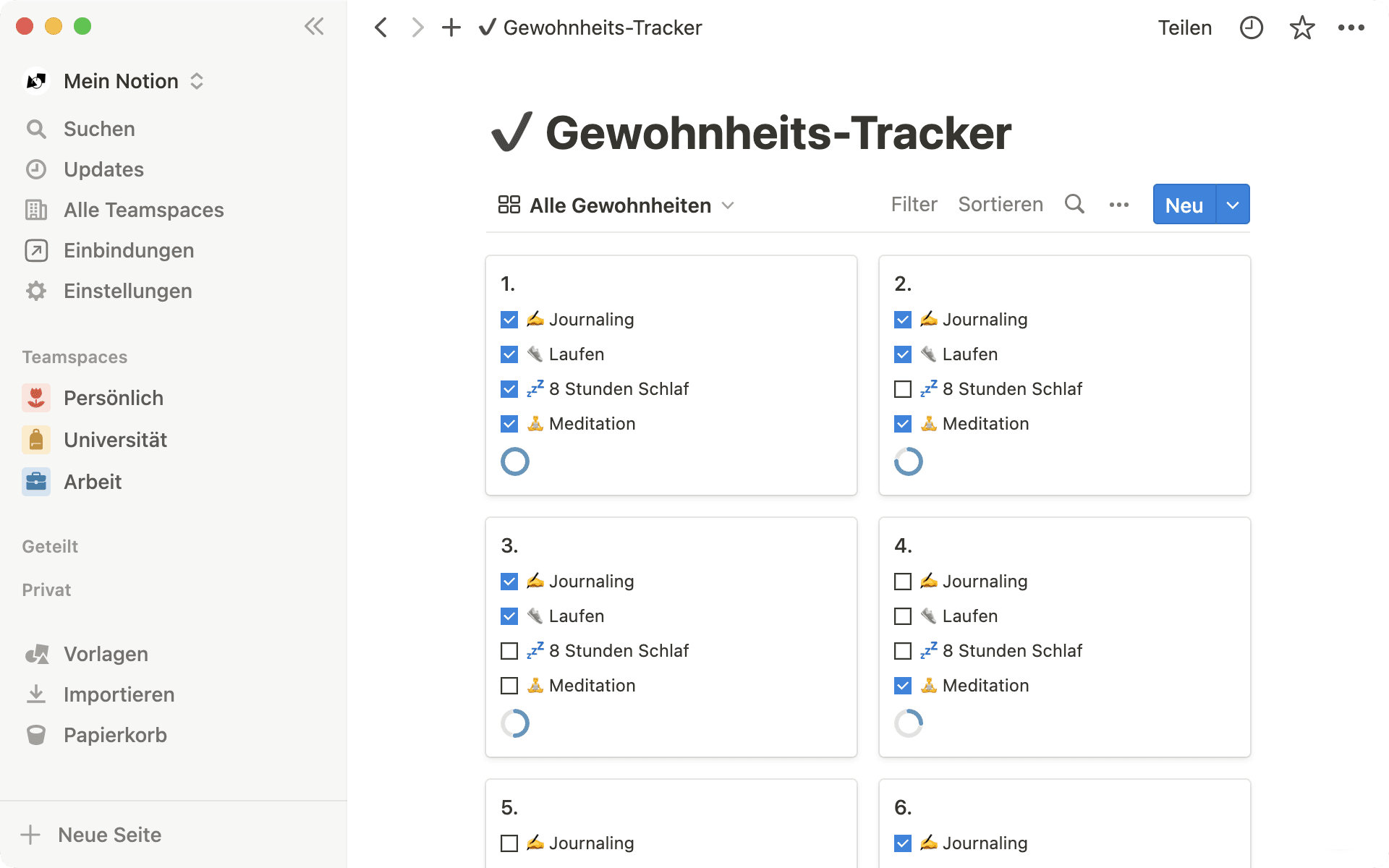
Notion est désormais disponible en allemand (bêta) !
Suite au lancement du français il y a quelques mois, nous sommes ravis de pouvoir également proposer Notion en allemand à partir d’aujourd’hui !
Après avoir modifié votre langue en allemand, cliquez sur Vorlagen en bas de la barre latérale de gauche pour voir les modèles de pages en allemand.
Allez sur notion.com/de-de/help pour retrouver tous les guides et tutoriels traduits.
Pour modifier les paramètres de langue sur votre application de bureau, allez dans Paramètres et membres, puis sélectionnez Deutsch dans le menu Langue.
Les applications mobile et de bureau seront mises à jour progressivement. Cela pourra prendre quelques jours pour que votre application affiche la dernière version. Si votre téléphone est déjà en allemand, l’application Notion basculera automatiquement sur l’allemand dès que la langue sera disponible.
Corrections de bugs et améliorations
Nous avons repensé le menu paramètres des espaces d’équipe, pour qu’il soit plus intuitif et facile à utiliser.
Vous pouvez désormais ajouter des personnes qui ne font pas partie de l’espace de travail dans un espace d’équipe. Elles seront alors ajoutées à la fois à l’espace d’équipe et à l’espace de travail.
Le forfait Entreprise en Corée s’appelle désormais 엔터프라이즈 요금제 au lieu de 기업 요금제. (Il s’agit uniquement d’un renommage, aucun changement sur le prix ou les fonctionnalités.)
Toujours gratuit pour tout le monde. Avec encore plus de fonctionnalités.
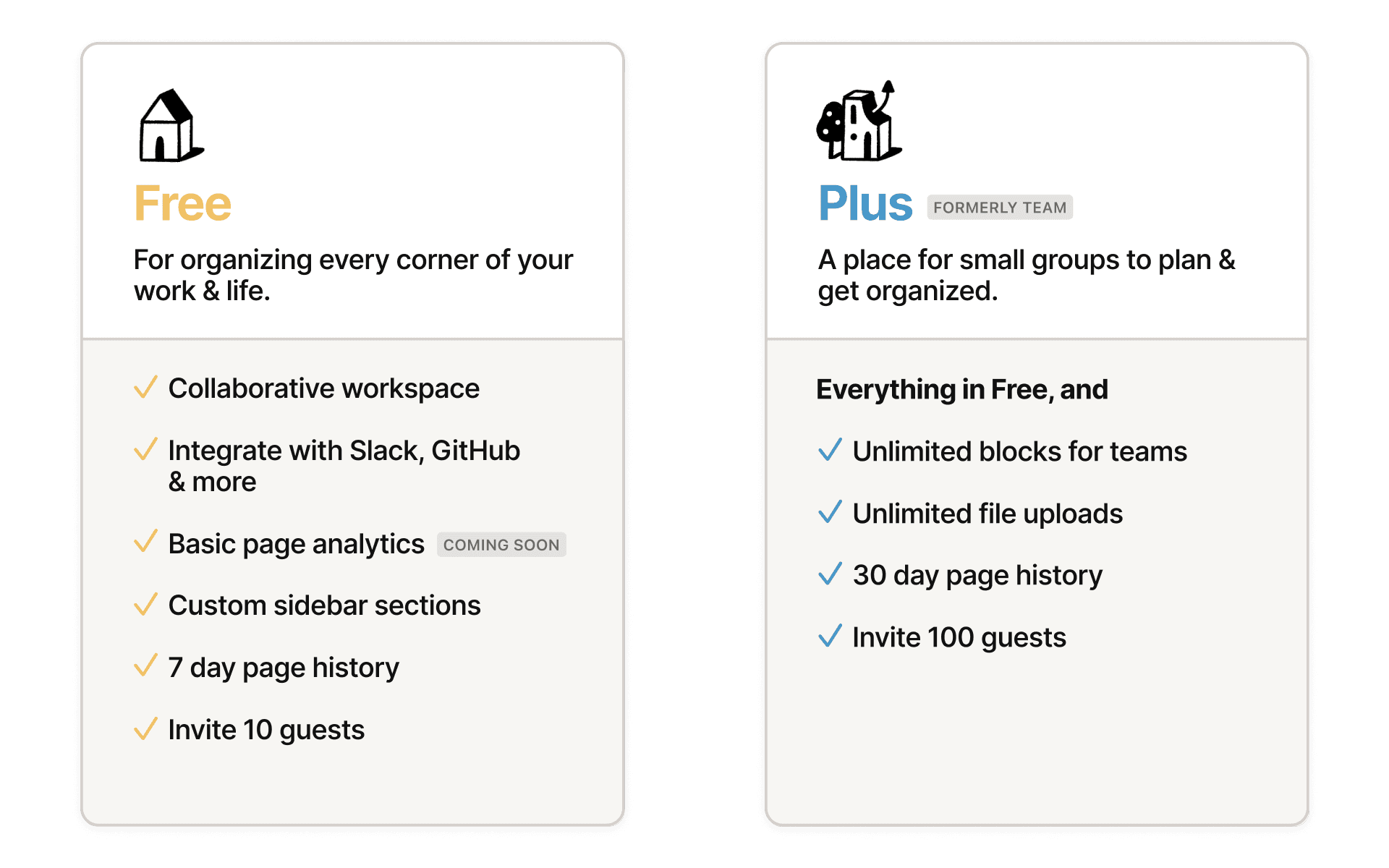
En mai 2020, nous avons pris un engagement : Notion doit être gratuit pour un usage personnel. Aujourd’hui, nous allons un peu plus loin. L’accès gratuit est désormais plus collaboratif et plus performant, avec ces fonctionnalités qui nécessitaient auparavant un abonnement payant :
Plus d’invités : invitez jusqu’à 10 personnes (collaborateurs, amis, famille…) sur vos pages.
Historique des pages : remontez dans le temps pour visualiser et restaurer les versions précédentes de votre contenu, jusqu’à 7 jours en arrière.
Espaces d’équipe : créez des sections personnalisées dans votre barre latérale, pour une nouvelle couche d’organisation.
Comme toujours, les particuliers peuvent ajouter un nombre illimité de pages et de blocs dans Notion. Quant aux équipes, elles peuvent faire un essai — avec un nombre de blocs limité — avant de payer. Pas besoin de carte bancaire, et aucune limite de temps.
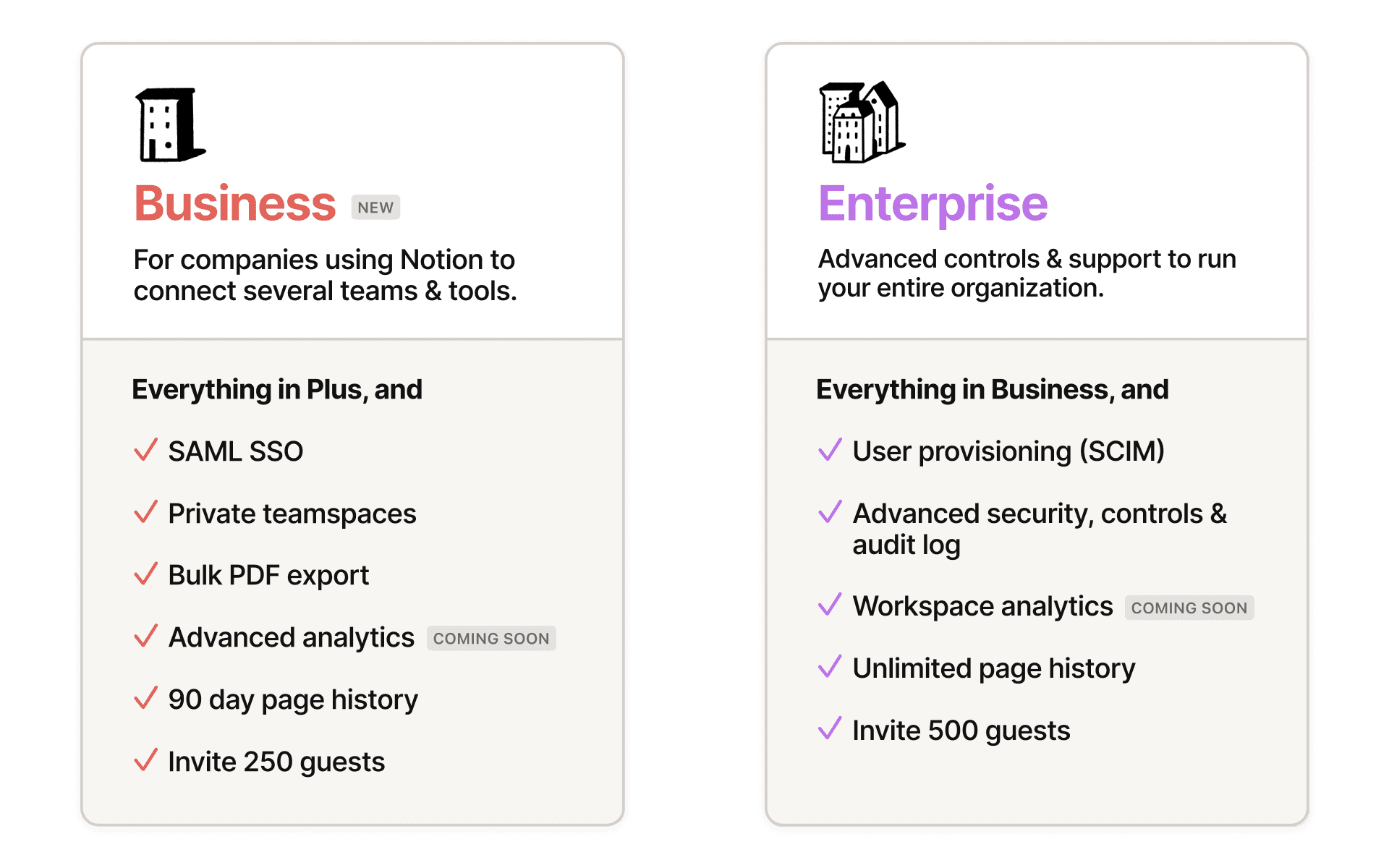
Vous essayez de mettre les équipes transversales sur la même longueur d’onde ? Le nouveau forfait Business de Notion a été conçu pour les entreprises qui ont besoin de quelques outils supplémentaires pour les administrateurs, afin de s’assurer que les employés utilisent l’espace de travail efficacement :
SAML SSO : gérer l’accès des employés, en toute sécurité et à grande échelle, grâce à l’authentification unique.
Espaces d’équipe privés : des espaces consacrés aux groupes de travail, pour collaborer sur des documents sensibles.
Exportation PDF groupée : idéale pour la sauvegarde des documents légaux et de conformité de votre espace de travail.
BIENTÔT DISPONIBLEDonnées analytiques avancées sur les pages : voyez qui consulte et modifie votre contenu, et quand ont lieu les modifications.
Choisissez une couleur de peau et une couleur d’icône par défaut
Lorsque vous ajoutez un émoji ou une icône pour votre page, une option vous permet désormais de définir une couleur de peau et une couleur d’icône par défaut. La couleur que vous avez choisie sera présélectionnée chaque fois que vous ajouterez un émoji ou une icône dans Notion.
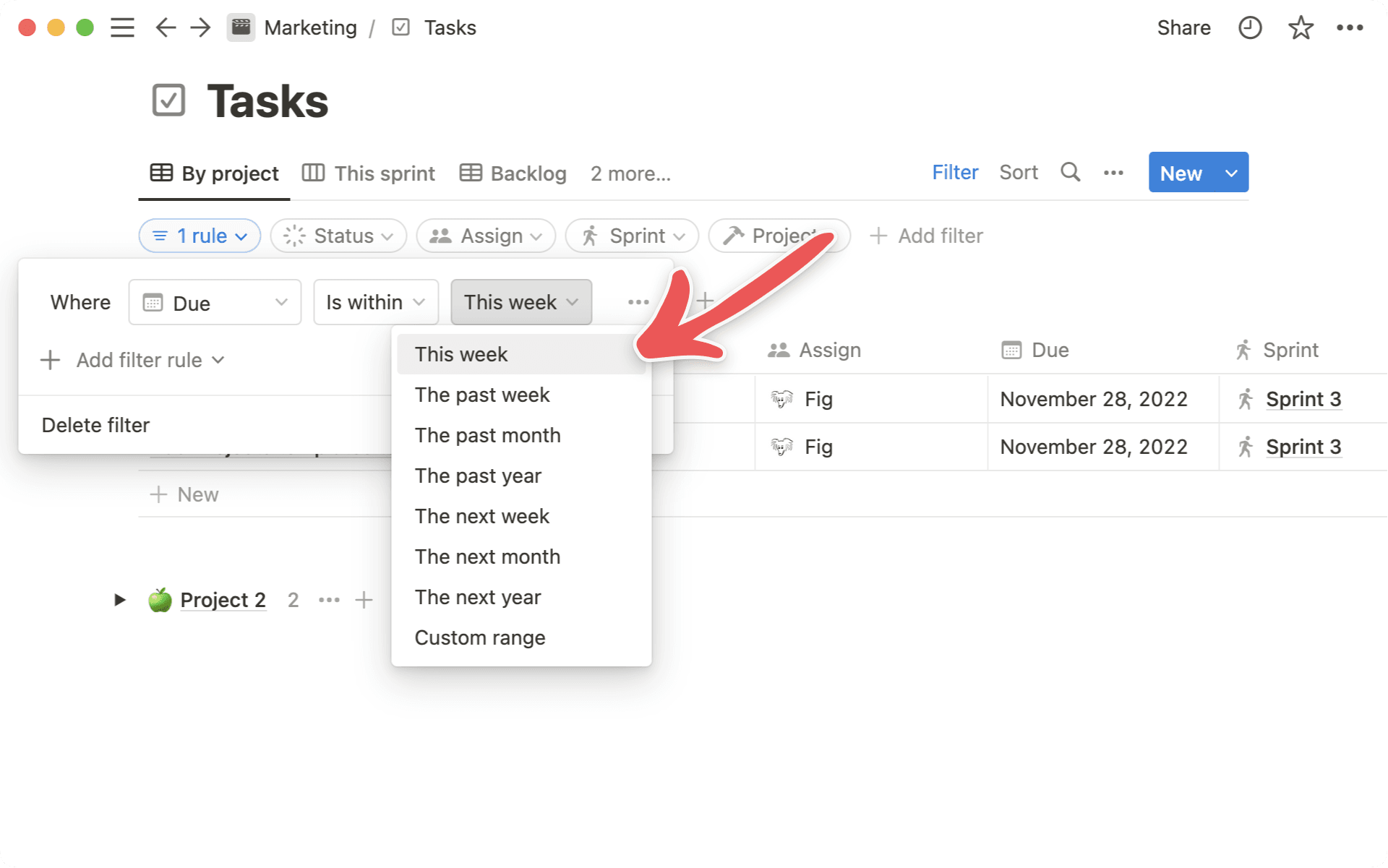
Nouveau filtre pour vos tâches : « Cette semaine »
Pour tirer le meilleur parti de votre semaine, il faut d’abord savoir sur quoi travailler. Désormais, vous pouvez garder sous les yeux les tâches sur lesquelles vous devez vous concentrer pendant la semaine en cours, grâce au nouveau filtre « Cette semaine ».
Pour l’utiliser :
Créez un filtre avancé dans une base de données.
Choisissez une propriété de date, puis sélectionnez « Fait partie de ».
Sélectionnez « Cette semaine » en tant que filtre.
L’IA Notion est un assistant d’écriture qui peut vous aider à rédiger, à réfléchir, à éditer, à résumer, et plus encore. Voyez l’IA Notion comme votre partenaire d’écriture. Il enrichit votre réflexion et vous aide à gagner du temps, ou à le dépenser plus judicieusement.
Oh-oh ! Il semble que votre bloqueur de publicités empêche la lecture de la vidéo.
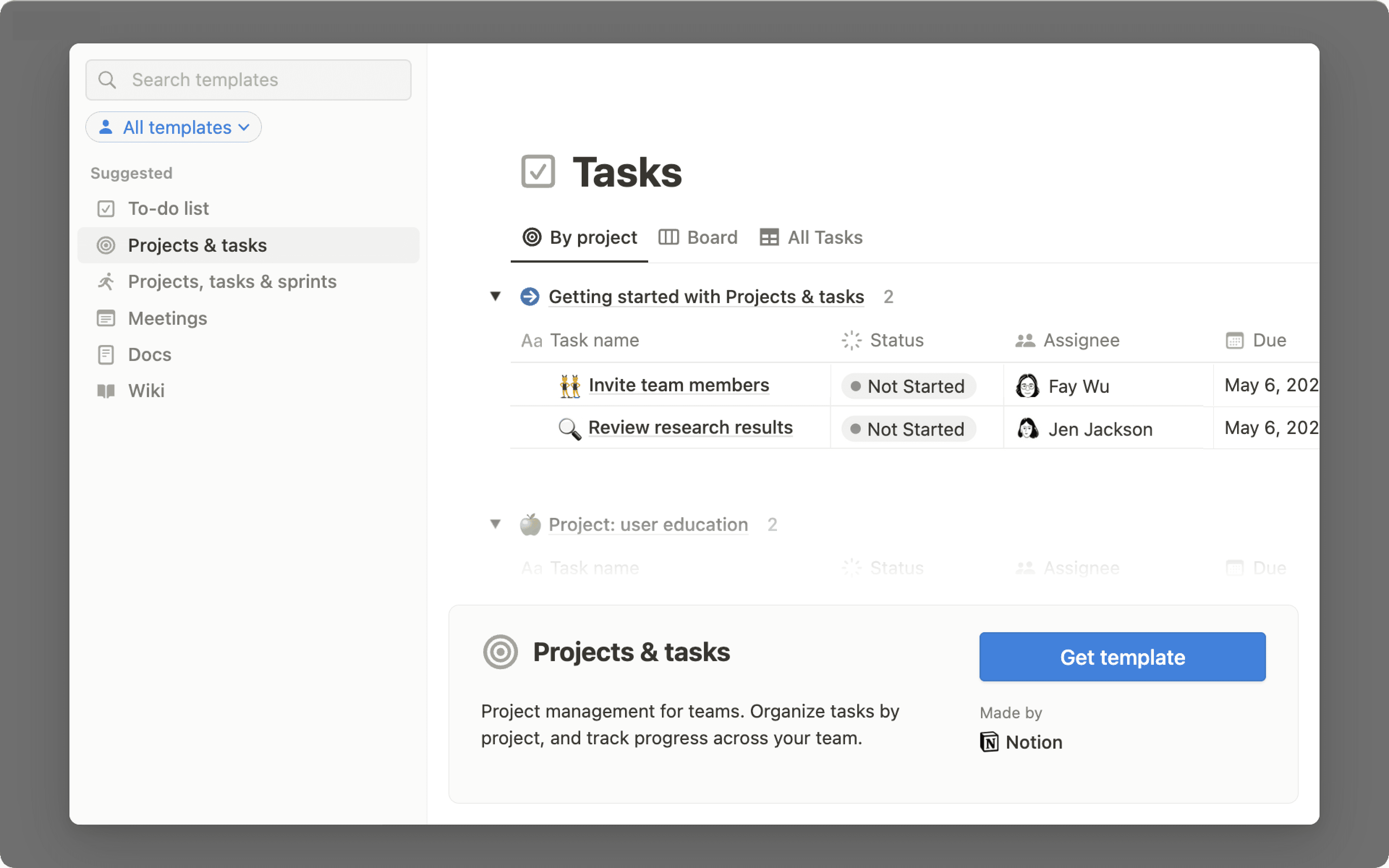
Créez votre espace de travail avec de nouveaux modèles pour la gestion de projets, les réunions et les documents.
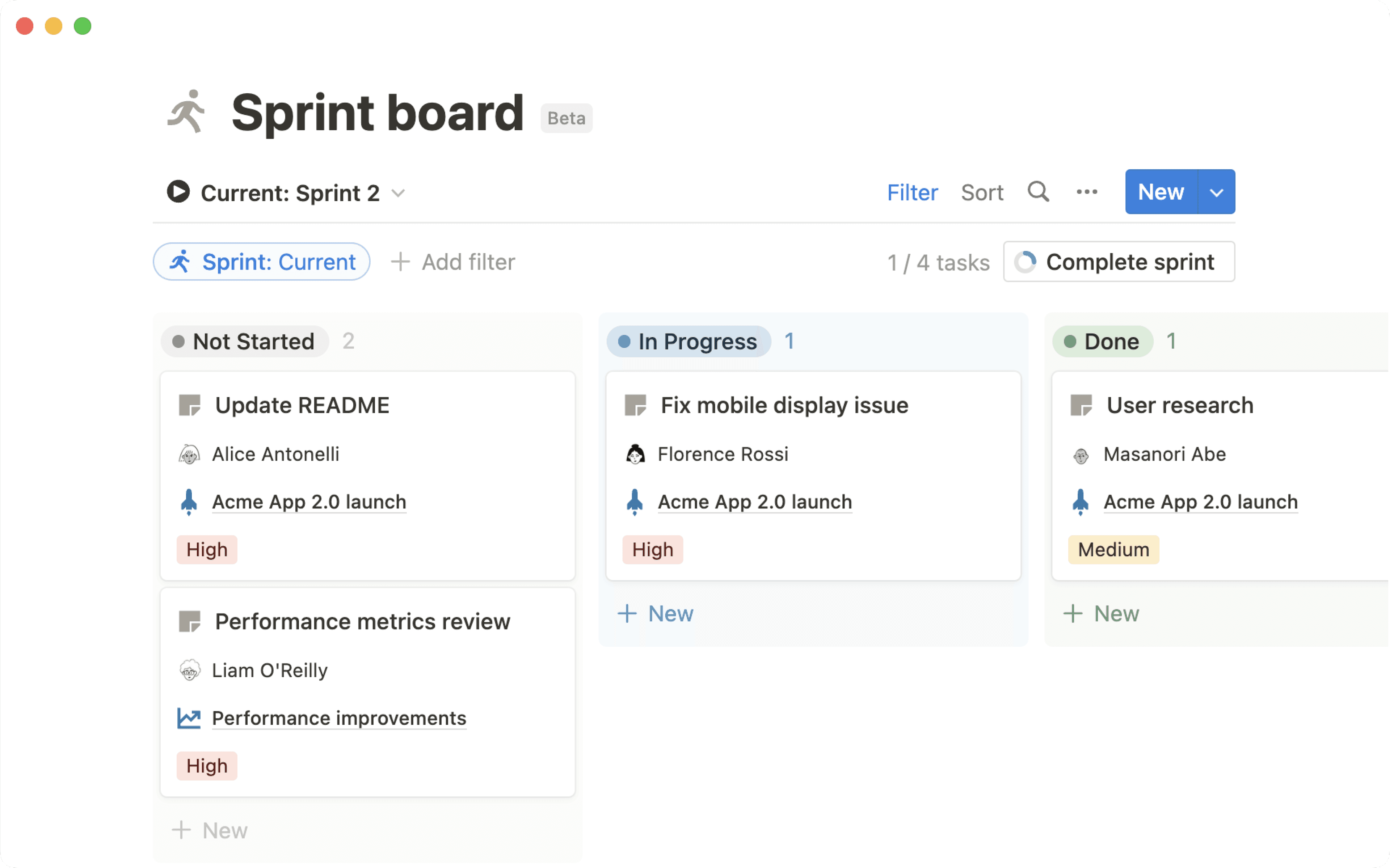
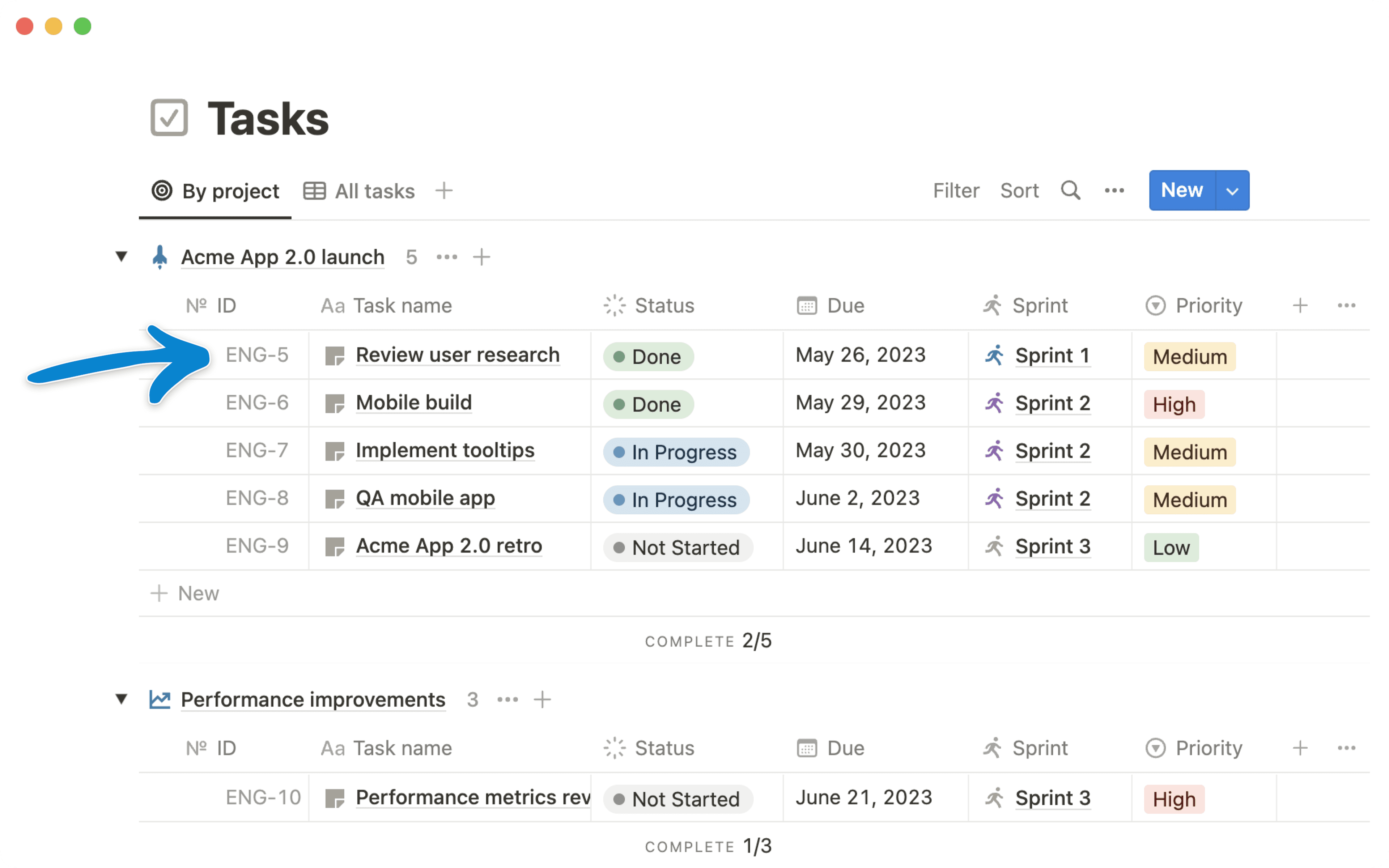
Il est maintenant plus facile de configurer l’espace de travail de votre équipe, grâce à de nouveaux modèles avec des bases de données pour la gestion des projets, le suivi des notes de réunions et le partage des documents. Ces nouveaux modèles sont préconfigurés avec les vues de la base de données, les pages et les relations nécessaires pour que votre équipe puisse gérer efficacement son travail dans Notion.
Réunions, pour que votre équipe puisse suivre toutes les notes de réunion et les points d’action et un seul endroit.
Documents, pour facilement trouver, documenter et partager des informations au sein de votre équipe.
Notre galerie de modèles a aussi été repensée : il est maintenant plus facile de trouver n’importe quel modèle — du wiki d’entreprise au suivi des habitudes quotidiennes.
Pour accéder à la galerie de modèles, cliquez sur Modèles dans la barre latérale de gauche. Elle sera disponible pour tous les utilisateurs dans les semaines qui viennent. Si vous ne la voyez pas encore dans votre espace de travail ou dans votre langue, ce sera bientôt le cas !
Lorsque vous travaillez, le passage de votre ordinateur à votre téléphone devrait toujours se faire en douceur. Sur votre app mobile, vous verrez désormais une section Retourner sur… qui affiche les dernières pages que vous avez consultées. Profitez de votre trajet retour pour jeter un œil à une documentation produit, sans avoir à chercher frénétiquement dans Slack pour retrouver le lien d’une page.
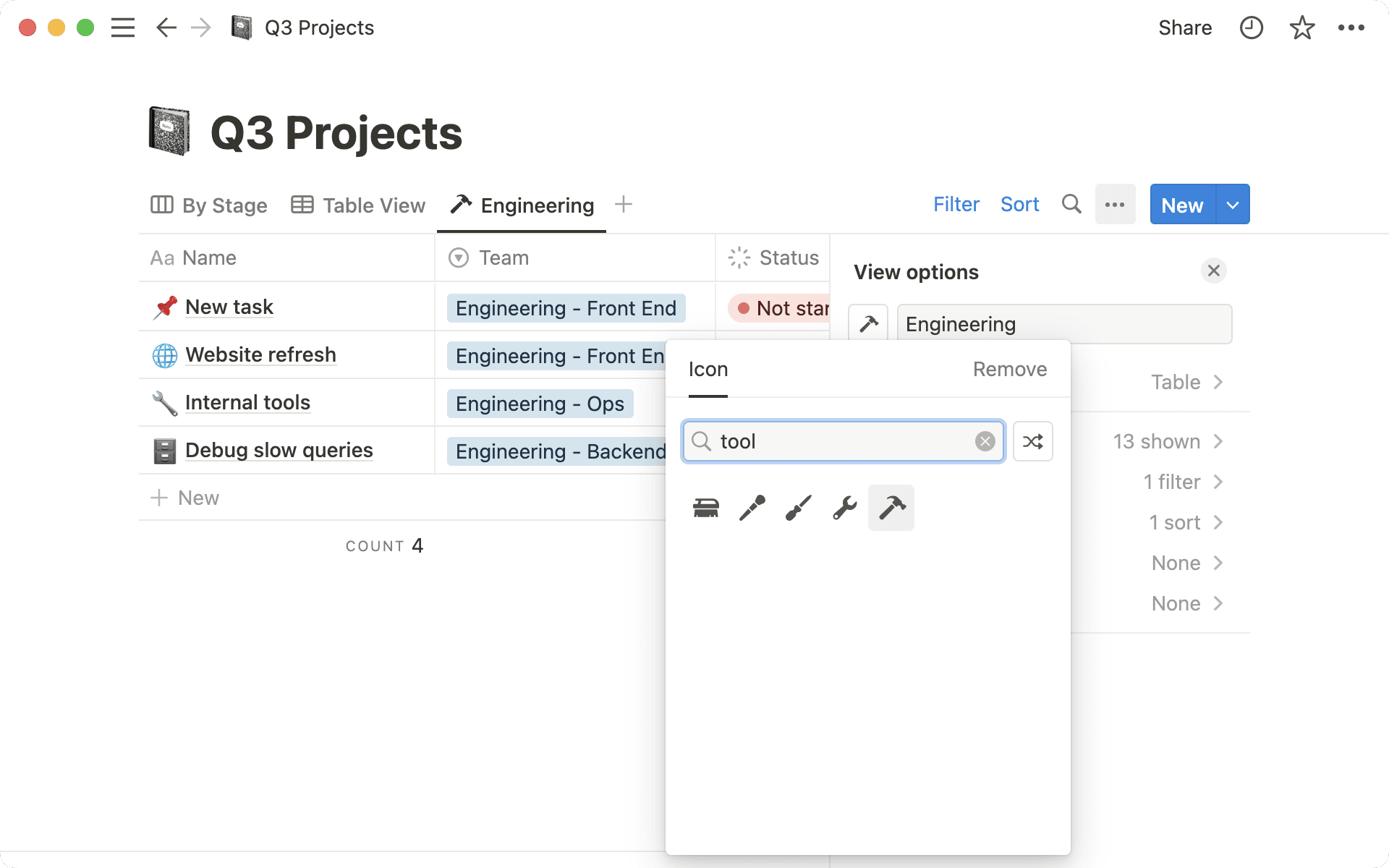
Icônes personnalisées pour les vues et propriétés de bases de données
Trouver l’icône ou l’émoji parfait, c’est tout un art. Vous pouvez désormais ajouter une icône personnalisée à toutes les vues ou propriétés de bases de données. 🙂
Allez dans les paramètres de n’importe quelle vue de base de données ou propriété.
Cliquez sur l’icône à côté du nom.
Remplacez l’icône par défaut par l’une des 600 icônes disponibles.
Ajoutez des propriétés supplémentaires aux bases de données synchronisées
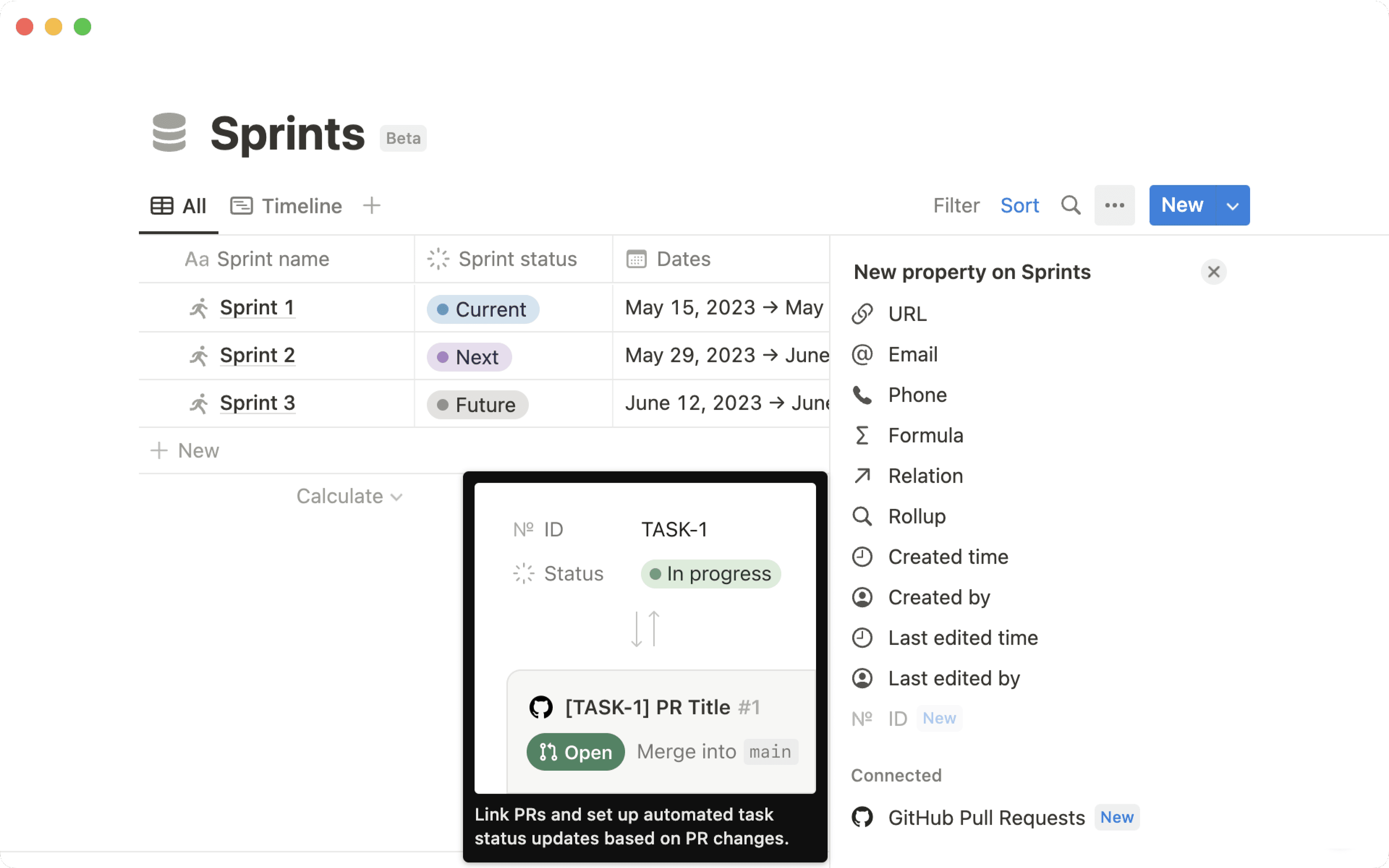
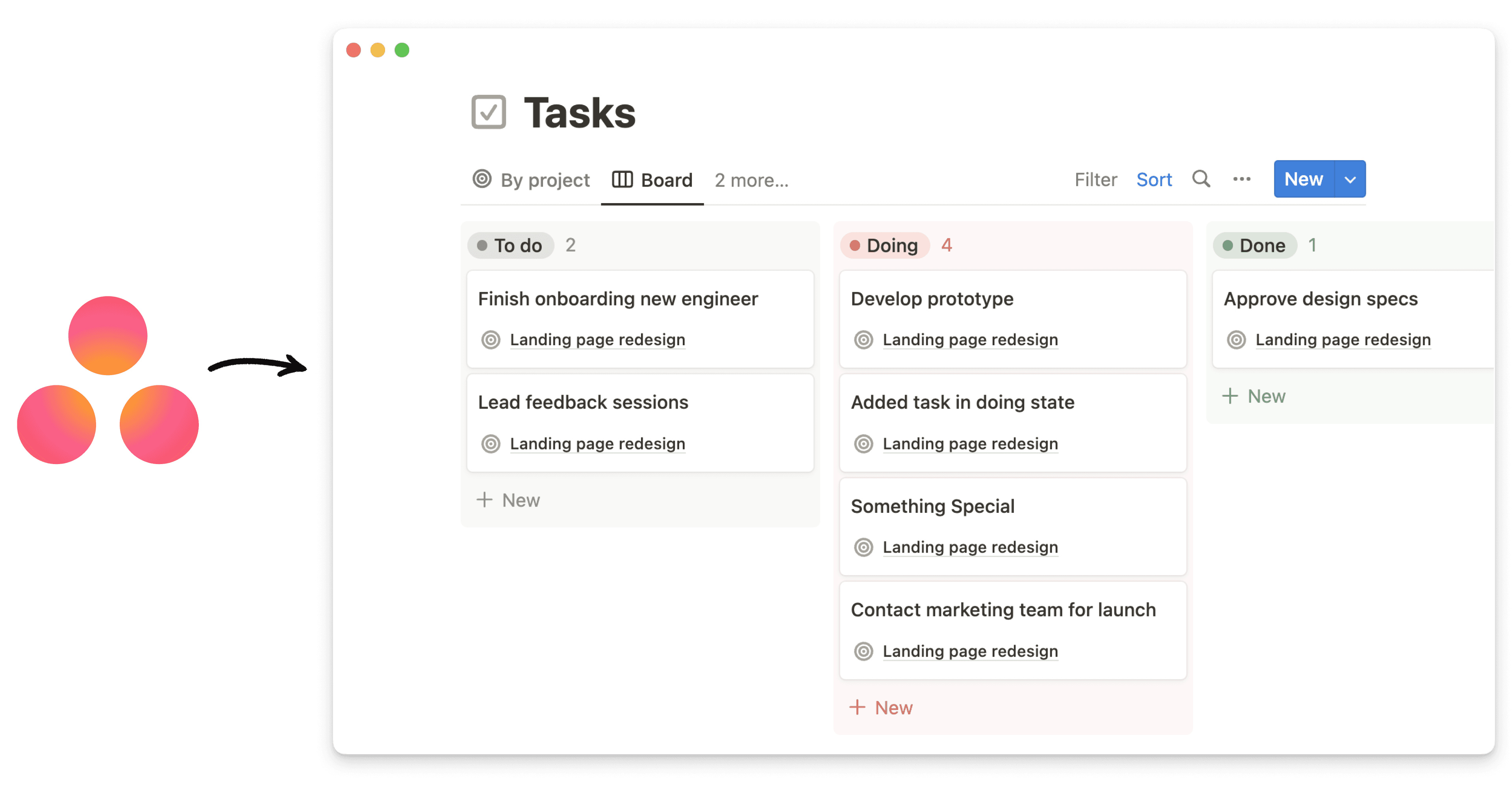
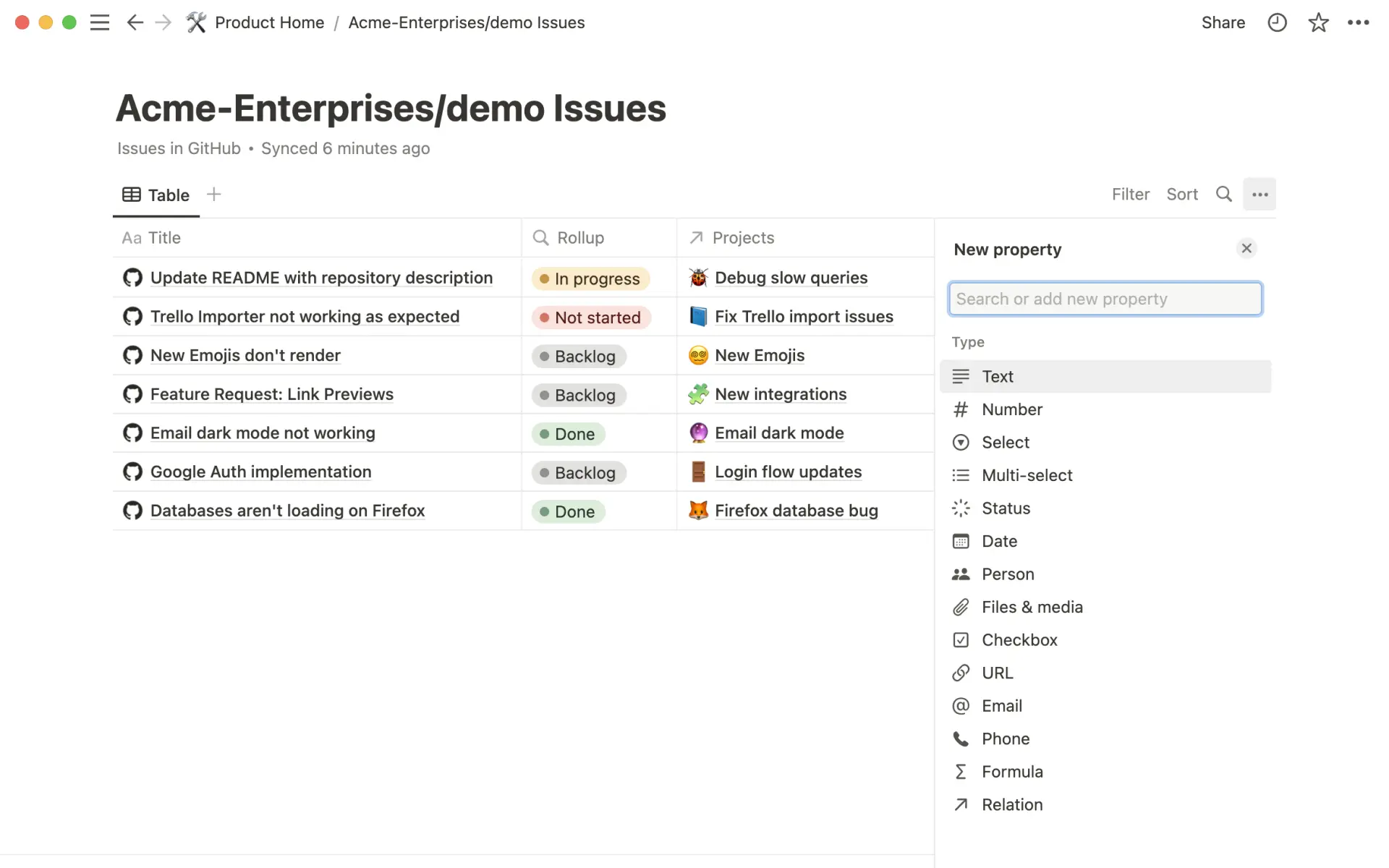
Vous pouvez désormais ajouter des propriétés de base de données supplémentaires à toute base de données synchronisée (actuellement en bêta ouverte avec GitHub, Jira, GitLab et Asana). Auparavant, vous ne pouviez créer qu’une relation ou une agrégation. Utilisez-les pour donner plus de contexte sur les éléments de la base de données comme les tickets Jira, les issues GitHub, les tâches Asana, etc. — directement dans la base de données synchronisée dans Notion. Par exemple, ajoutez une propriété texte avec des informations sur un ticket Jira, ou ajoutez une étiquette Notion pour créer facilement une vue des PR GitHub spécifiques.
Accédez à n’importe quelle base de données synchronisée.
Il est maintenant plus facile de modifier les liens, qu’il s’agisse de liens vers une page de Notion ou vers une URL. Nous avons également ajouté la possibilité de modifier le titre d’un lien directement à partir de la fenêtre contextuelle de l’éditeur.
Il est désormais possible de réorganiser tous les champs qui apparaissent lors de l’utilisation d’une propriété de relation (par exemple, les champs « Personne » ou « État » peuvent être déplacés à gauche du titre de la propriété).